The Complete Guide to Google Analytics Alternatives
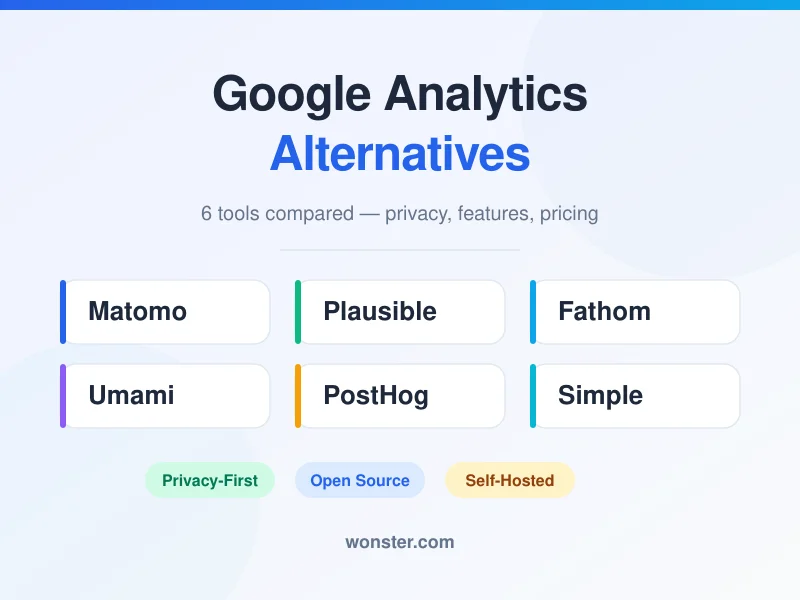
If you’ve been looking for alternatives for Google Analytics, you’re not alone. Between GDPR concerns, GA4’s steep learning curve, and the growing demand for data ownership, more businesses are making the switch every month.
The analytics market has exploded in the past few years. There are now dozens of tools competing for your attention — some privacy-focused, some open source, some built for product teams, and some designed to be as simple as possible. The sheer number of options can be overwhelming.
I’ve tested over a dozen analytics tools across real projects. In this guide, I’ll walk you through the best options — from lightweight privacy tools to full-featured platforms — so you can find the right fit without the trial-and-error. Whether you’re looking for free alternatives to Google Analytics, privacy-focused alternatives to Google Analytics, or open source alternatives to Google Analytics, this guide covers them all.
Why Switch from Google Analytics?
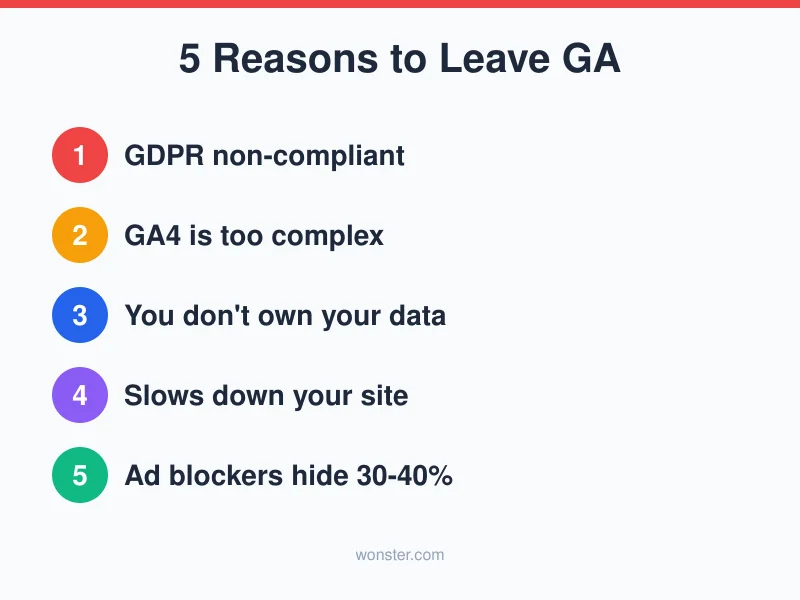
Before diving into the alternatives, let’s talk about why so many teams are leaving Google Analytics behind. It’s not just a trend — there are real, practical reasons driving this shift.
Privacy and GDPR Compliance
This is the biggest one. Data protection authorities in Austria, France, Italy, Norway, and Sweden have ruled Google Analytics non-compliant with GDPR. The core issue? GA stores data from EU visitors on US-based servers, where it’s subject to US surveillance laws.
For businesses operating in the EU or serving European customers, using Google Analytics in its default configuration is a compliance risk. And GDPR fines aren’t symbolic — they can reach millions of euros.
Even Google’s introduction of server-side data processing and consent mode hasn’t fully resolved the issue. The fundamental problem — US-based data processing under the Cloud Act — remains. That’s why many European businesses are proactively switching to privacy-focused alternatives to Google Analytics that keep data within EU borders.
GA4 Is Unnecessarily Complex
Let’s be honest: GA4 is frustrating. The interface is clunky, reports that were one-click in Universal Analytics now require manual setup, and the documentation is sparse. Even technically-minded marketers describe the learning curve as “a steep hill.”
The “build-it-yourself” approach might work for enterprise teams with dedicated analysts. For most businesses, it’s overkill.
I’ve spoken with dozens of marketers who switched to simpler alternatives for Google Analytics specifically because they were tired of spending hours configuring reports that used to take seconds. When your analytics tool requires a certification course to use effectively, something has gone wrong.
Data Ownership
Here’s something many people miss: you don’t actually own your Google Analytics data. Under GA’s terms of service, Google can use it across their services. When you link GA to other Google products, your data becomes subject to those platforms’ terms too.
With self-hosted or privacy-focused tools, the data stays yours. Period. Many open source alternatives to Google Analytics give you full database access, meaning you can run custom queries, export anything, and never worry about a third party controlling your analytics history.
Performance Impact
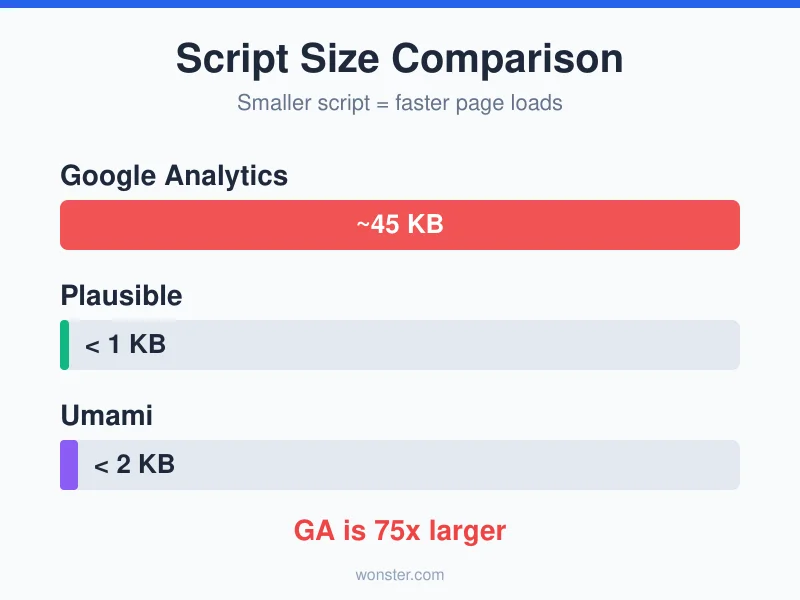
Google Analytics’ tracking script is roughly 75 times larger than alternatives like Plausible. Adding GA4 to your site increases network transfer by about 33% and significantly impacts JavaScript parsing — which directly affects your page load speed and Core Web Vitals.
For a blog about analytics, the irony of your analytics tool hurting your SEO isn’t lost on me.
Ad Blockers Kill Your Data
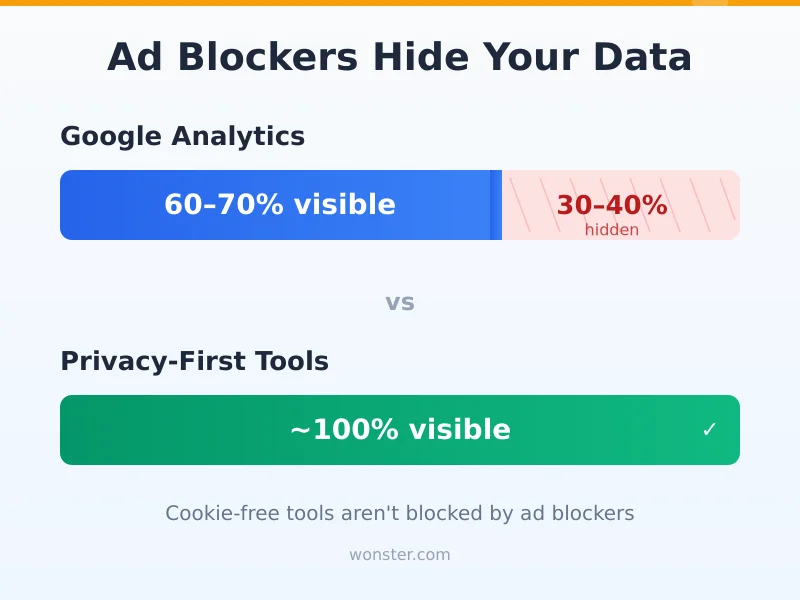
Most ad blockers block Google Analytics by default. Depending on your audience, this means 30-40% of your visitors simply don’t show up in your reports. You’re making decisions based on incomplete data — and you might not even know it.
Privacy-first analytics tools solve this problem by design. Because they don’t use cookies and don’t track personal data, most ad blockers don’t flag them. The result? You get more accurate visitor counts and a fuller picture of your traffic.
The Cost of “Free”
Google Analytics is free to use, but you’re paying with your visitors’ data. Google uses the analytics data it collects to refine its advertising products. For businesses that compete with Google’s ad clients or that simply don’t want to feed Google’s data machine, this is a dealbreaker.
The good news: many free alternatives to Google Analytics genuinely are free — either self-hosted open source tools or cloud platforms with generous free tiers. You don’t have to trade your data for your analytics anymore.
The Top Google Analytics Alternatives
I’ve organized these from most full-featured to most lightweight. Each one solves different problems, so the “best” choice depends entirely on your needs.
Matomo — The Full-Featured Self-Hosted Option
Best for: Teams that need GA-level depth with complete data ownership.
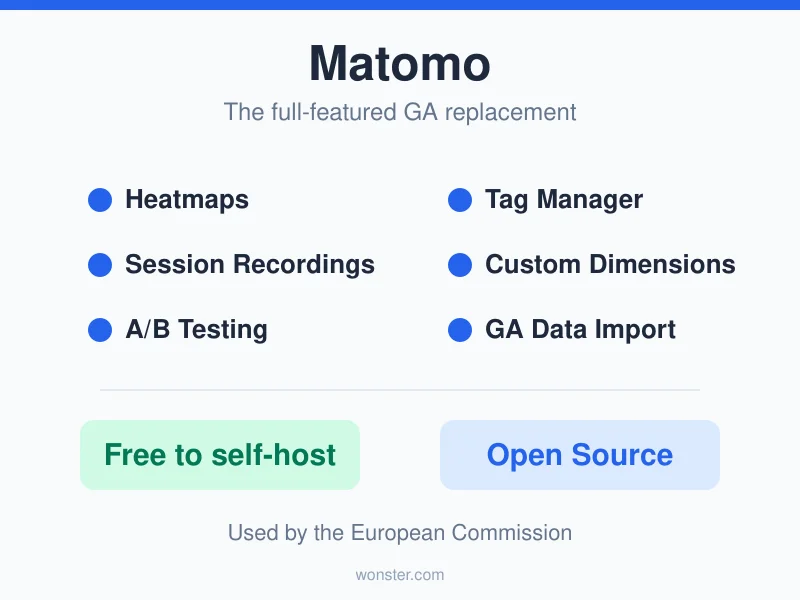
Matomo (formerly Piwik) is the closest thing to a drop-in Google Analytics replacement. It offers everything from basic traffic reports to custom dimensions, tag management, heatmaps, and session recordings.
The standout feature? You can self-host it for free. Install it on your own server, and you get enterprise-grade analytics without paying a subscription. Your data never leaves your infrastructure.
If you’d rather not manage servers, Matomo Cloud starts at around €19/month for 50,000 monthly pageviews.
Key highlights:
– 100% data ownership with no data sampling
– Full GDPR compliance (EU-hosted cloud or self-hosted)
– Tag Manager, custom dimensions, A/B testing
– Heatmaps and session recordings (premium plugins)
– Imports historical GA data
The tradeoff: Matomo has a learning curve of its own. It’s far simpler than GA4, but it’s not a one-page dashboard either. Self-hosting requires server management skills — or at least comfort with Docker.
Matomo is one of the most mature open source alternatives to Google Analytics, backed by a large community and used by organizations like the European Commission.
Plausible — Lightweight and Privacy-First
Best for: Content sites, blogs, and small businesses that want simple, accurate data.
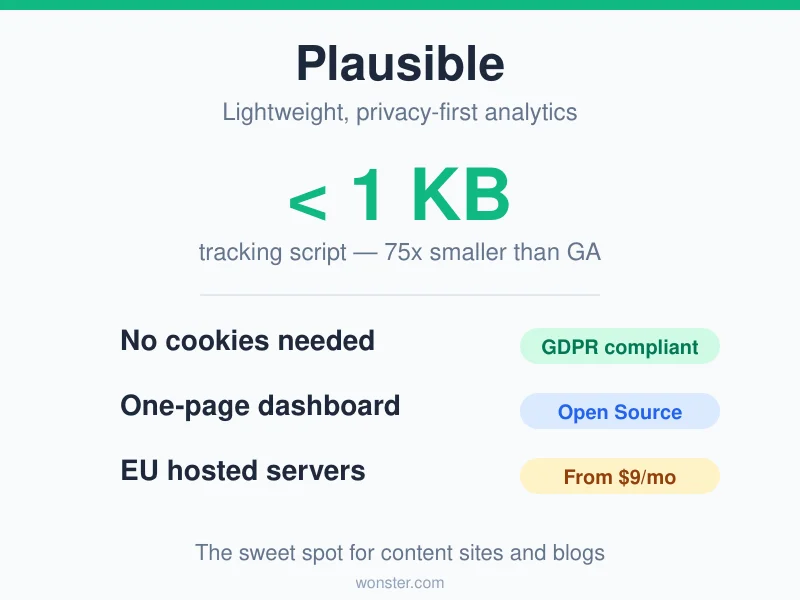
Plausible takes the opposite approach from Matomo — instead of replicating everything GA does, it focuses on what actually matters. The entire tracking script is under 1 KB, making it 75 times smaller than Google Analytics.
The dashboard is a single page. You see your visitors, top pages, referral sources, countries, and devices — all at a glance. No digging through menus, no custom report building.
Starting at $9/month for 10,000 pageviews, Plausible is one of the most popular privacy-focused alternatives to Google Analytics. It’s cookie-free, requires no consent banners, and is hosted entirely in the EU.
Key highlights:
– Script size under 1 KB
– Cookie-free — no consent banner needed
– Real-time dashboard
– Custom events with dimensions
– E-commerce revenue tracking
– Import historical GA stats
– Open source
The tradeoff: If you need advanced segmentation, cohort analysis, or user-level tracking, Plausible isn’t the tool for that. It’s intentionally simple.
Fathom — Beautiful and Simple
Best for: Businesses that want clean analytics with zero privacy headaches.
Fathom sits in a similar space to Plausible — privacy-first, cookie-free, and simple. The dashboard is beautifully designed, with the most important metrics front and center.
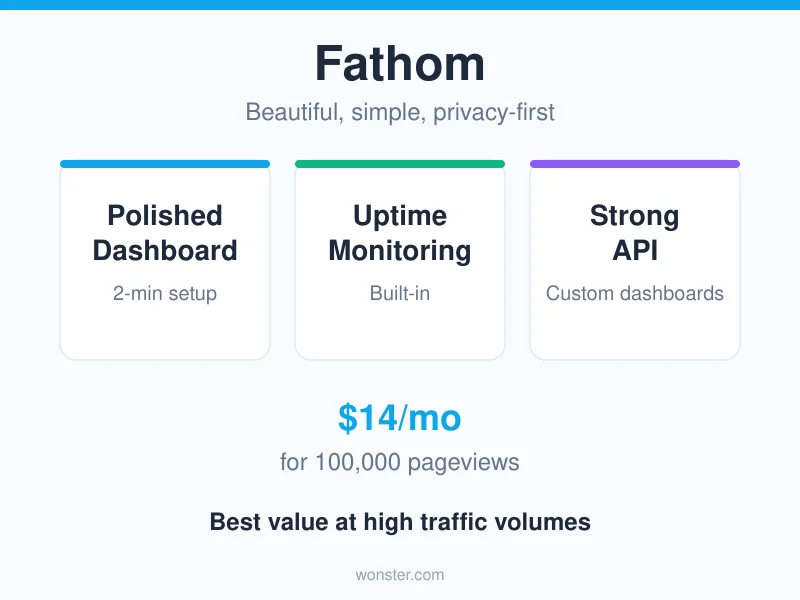
What sets Fathom apart is the experience. The UI is polished, the documentation is clear, and setup takes about two minutes. It also includes basic uptime monitoring, which is a nice bonus.
Pricing starts at $14/month for up to 100,000 pageviews — making it the best value at higher traffic levels compared to Plausible.
Key highlights:
– Real-time, one-page dashboard
– Cookie-free and GDPR-compliant
– Built-in uptime monitoring
– One-click data export
– Strong API for custom dashboards
– Imports GA data
The tradeoff: Custom event tracking is more basic than Plausible or Matomo. If events and conversions are your focus, you might find it limiting.
Umami — Free and Self-Hosted
Best for: Developers and technical teams who want free, self-hosted analytics.
If you’re looking for free alternatives to Google Analytics and you’re comfortable with Docker, Umami is hard to beat. It’s completely open source, the tracking script is under 2 KB, and you can deploy it on a $4-5/month VPS.
The dashboard is clean and responsive. You get pageviews, referrers, countries, devices, and custom events — everything a content site needs.
Umami also offers a cloud plan at $20/month if you’d rather skip the self-hosting.
Key highlights:
– Completely free if self-hosted
– Under 2 KB tracking script
– Docker deployment (easy setup)
– Real-time analytics
– Custom event tracking
– Multiple website support
– Open source (GitHub)
The tradeoff: The feature set is deliberately minimal. No heatmaps, no session recordings, no advanced funnels. If you need those, look at Matomo.
Simple Analytics — The No-Fuss Option
Best for: Non-technical users who just want to know what’s happening on their site.
Simple Analytics lives up to its name. The dashboard shows you visitors, top pages, referrers, and that’s essentially it. No configuration, no learning curve, no cookies.
There’s a free plan that covers up to 5 websites with 1-month data retention. The paid plan at $15/month adds 3-year retention, event tracking, and a goals dashboard. Non-profits get 50% off.
Key highlights:
– Free plan available
– Cookie-free, no consent banners
– Clean, minimal dashboard
– Event tracking and goals (paid plan)
– GDPR, CCPA, and PECR compliant by default
The tradeoff: Very basic. If you need custom events, detailed traffic segmentation, or API access, you’ll outgrow it quickly.
PostHog — Product Analytics Powerhouse
Best for: Engineering-led teams building web apps and SaaS products.
PostHog isn’t a traditional web analytics tool — it’s an all-in-one product analytics platform. Funnels, user paths, session replays, feature flags, A/B testing, surveys, and even error tracking — all in one platform.
The pricing is usage-based with no per-seat fees. The free tier includes 1 million events per month, which covers most small-to-mid-sized products. Over 90% of PostHog users stay within the free tier.
If you’re building a product (not just running a blog), PostHog is one of the strongest open source alternatives to Google Analytics — though it’s solving a different problem.
Key highlights:
– Product analytics, session replay, feature flags, A/B testing
– Usage-based pricing (no seat fees)
– 1M free events per month
– Self-hostable and open source
– Direct SQL access
– 7-year data retention
The tradeoff: It’s complex. PostHog is designed for product teams with engineering resources, not marketers looking for a simple traffic dashboard. The script is also significantly larger than privacy-focused tools.
Honorable Mentions
A few more worth looking at:
- Piwik PRO — Enterprise analytics suite with built-in consent management. Starts at €35/month. Strong GDPR compliance with EU-hosted servers. Good for regulated industries.
- Clicky — Real-time analytics with heatmaps, starting at $9.99/month. Cookie-free and GDPR-compliant. Over 1 million websites use it.
- Pirsch — Made and hosted in Germany. Privacy-first, cookieless, with a full REST API. Great for developers who prioritize EU data sovereignty.
- Cabin — Carbon-aware analytics running on renewable energy. Script size of 1.2 KB. For teams that care about sustainability alongside privacy.
How to Choose the Right Alternative
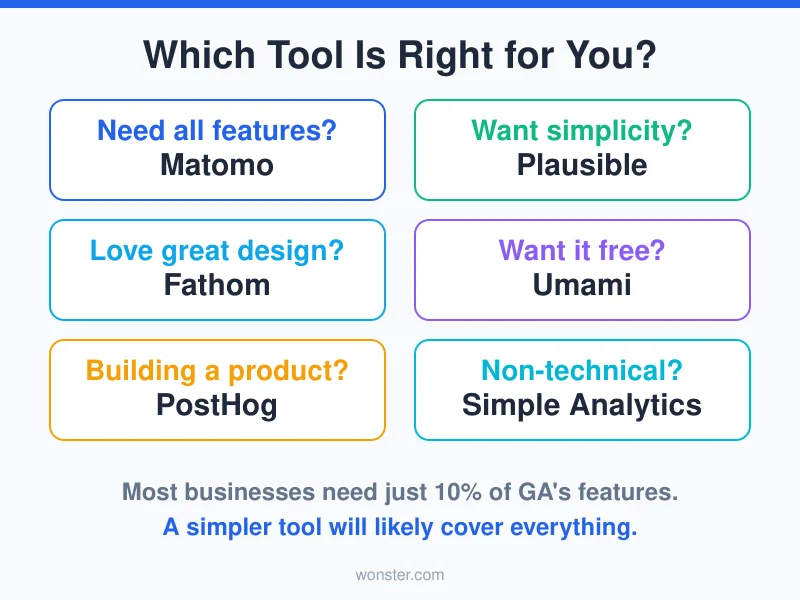
With so many options, here’s a practical decision framework:
Choose Matomo if you need enterprise-level analytics, want to self-host, or need features like heatmaps, session recordings, and custom dimensions. It’s the most complete GA replacement.
Choose Plausible if you want a lightweight, privacy-first tool with a clean dashboard and don’t need user-level tracking. It’s the sweet spot for content sites and blogs.
Choose Fathom if you value polish and simplicity and want the best-looking dashboard with solid API support. Great at higher traffic volumes.
Choose Umami if you’re technical, want something free, and prefer self-hosting. The best value among free alternatives to Google Analytics.
Choose Simple Analytics if you’re non-technical and just want basic traffic insights without any setup complexity.
Choose PostHog if you’re building a product and need funnels, session replays, and feature flags alongside analytics.
Quick Comparison Table
| Tool | Script Size | Starting Price | Cookie-Free | GDPR | Custom Events | Open Source | Import GA |
|---|---|---|---|---|---|---|---|
| Matomo | Medium | Free (self-hosted) / €19/mo | Configurable | Yes | Advanced | Yes | Partial |
| Plausible | < 1 KB | $9/mo | Yes | Yes | Good | Yes | Yes |
| Fathom | Light | $14/mo | Yes | Yes | Basic | No | Yes |
| Umami | < 2 KB | Free (self-hosted) / $20/mo | Yes | Yes | Moderate | Yes | No |
| Simple Analytics | Light | Free / $15/mo | Yes | Yes | Basic | No | No |
| PostHog | Large | Free (1M events) | Varies | Varies | Advanced | Yes | No |
| Piwik PRO | Medium | €35/mo | With consent mgr | Yes | Advanced | No | No |
| Clicky | Light | $9.99/mo | Yes | Yes | Moderate | No | No |
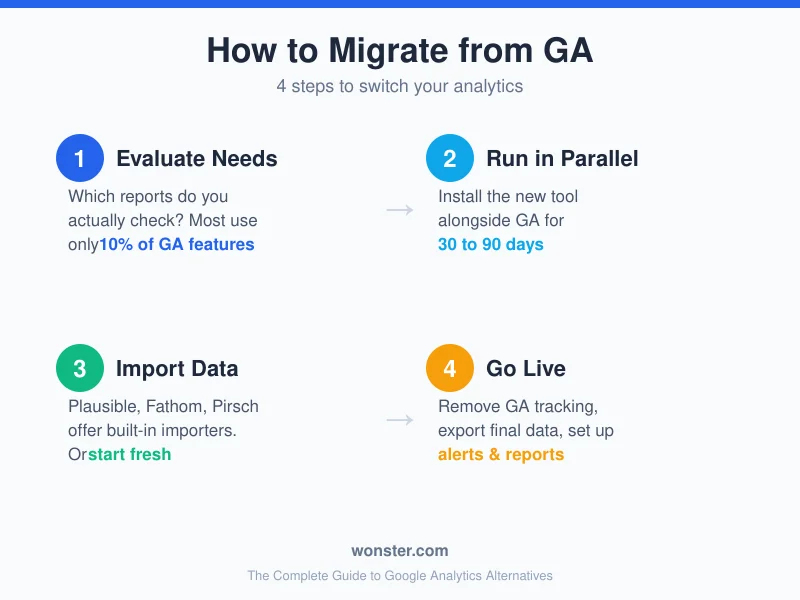
How to Migrate from Google Analytics
Switching analytics tools doesn’t have to be painful. Here’s the approach I recommend.
Step 1: Evaluate Your Needs
Before picking a tool, get clear on what you actually use. Open your Google Analytics right now and ask:
- Which reports do I check regularly?
- Do I track custom events? Which ones?
- Do I need user-level tracking or just aggregated data?
- Is self-hosting an option, or do I need managed hosting?
Most people discover they use about 10% of GA’s features. That’s liberating — it means a simpler tool will likely cover everything you need.
Step 2: Run Both Tools in Parallel
Install your chosen alternative alongside Google Analytics and run both for 30 to 90 days. This lets you:
- Verify the new tool captures the data you need
- Compare numbers between platforms
- Get comfortable with the new dashboard
- Train your team without pressure
Don’t expect the numbers to match exactly. Privacy-first tools typically show higher visitor counts because they’re not blocked by ad blockers. But GA might show more data in other areas (like user demographics from Google’s login data). The goal isn’t identical numbers — it’s confidence that you’re capturing the metrics that matter to your business.
Step 3: Import Historical Data (If Needed)
Some tools — Plausible, Fathom, and Pirsch — offer built-in importers for Google Analytics data. If year-over-year comparisons matter to you, this is worth doing.
That said, most experts recommend starting fresh. GA4 and alternatives use fundamentally different data models, so imported data will never match perfectly. Accept the clean break and move forward.
Step 4: Remove GA and Go Live
Once you’re confident in the new tool:
- Remove the Google Analytics tracking code from your site
- Export your final GA data for archives
- Update any internal documentation or dashboards
- Set up alerts and scheduled reports in your new tool
What You’ll Lose (And Why That’s OK)
Moving from GA to a simpler tool means giving up some features:
- Advanced machine learning insights
- Cross-platform user tracking (web + app)
- Deep Google Ads integration
- Predictive metrics
- Detailed attribution modeling
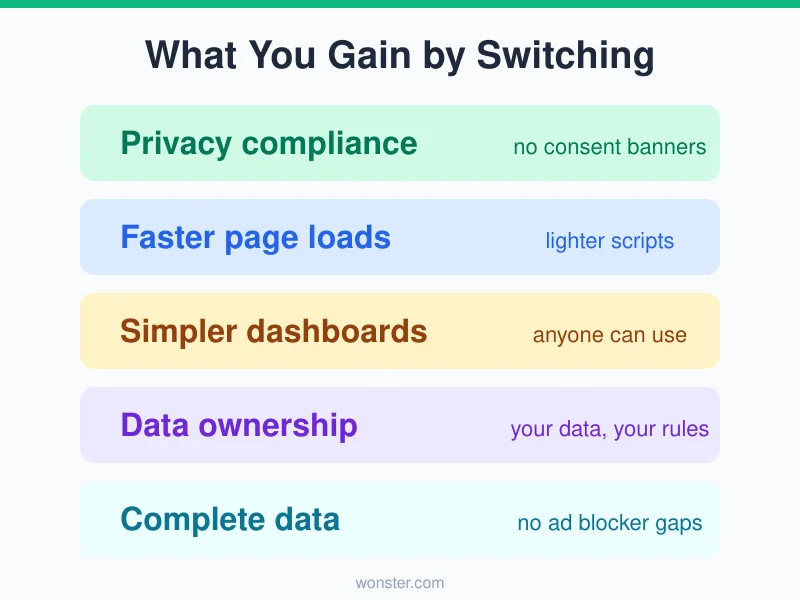
But here’s what you gain:
- Privacy compliance without lawyers and consent banners
- Faster page loads from lighter tracking scripts
- Simpler dashboards that anyone on your team can use
- Actual data ownership — your data, your servers, your rules
- Complete visitor data — no 30-40% gap from ad blockers
For most businesses, that’s a net positive.
Frequently Asked Questions
Is Google Analytics really illegal in the EU?
Not exactly “illegal,” but several EU data protection authorities have ruled it non-compliant with GDPR in its default configuration. The rulings primarily concern data transfers to US servers. Google has made changes (like server-side processing and consent mode), but many legal experts still recommend switching to EU-hosted alternatives for Google Analytics to avoid risk entirely.
Can I use Google Analytics and an alternative at the same time?
Yes, and I recommend it during the transition. Running both tools in parallel for 30-90 days lets you compare data and build confidence before fully switching. Just be aware that running two scripts will add some overhead to your page load.
What’s the best free alternative to Google Analytics?
For self-hosted setups, Umami and Matomo are the strongest free alternatives to Google Analytics. Both are open source and can run on a basic VPS. For a managed free tier, PostHog offers 1 million events per month at no cost, and Simple Analytics has a free plan for up to 5 websites.
Do privacy-first analytics tools show less data?
They show different data. You won’t get individual user profiles or cross-device tracking, but you’ll get accurate aggregate metrics — often more accurate because privacy tools aren’t blocked by ad blockers. For most businesses, aggregate data (top pages, referral sources, conversion counts) is what actually drives decisions.
Will switching affect my SEO?
Switching analytics tools has zero impact on SEO rankings. Google has confirmed that using Google Analytics is not a ranking factor. In fact, switching to a lighter tracking script can improve your Core Web Vitals, which is a ranking factor.
What’s Next
This guide gives you the landscape. Now it’s time to go deeper. Here’s what I’m covering next:
- Matomo Analytics: Complete Setup and Review Guide — a hands-on walkthrough of Matomo
- Plausible Analytics: Lightweight Privacy-First Tracking — why Plausible might be all you need
- Fathom Analytics: Simple Privacy-First Analytics Without Cookies — a closer look at Fathom
- Self-Hosting Umami Analytics: Step-by-Step Tutorial — deploy Umami on your own server
- Matomo vs Plausible vs Fathom: Privacy Analytics Compared — side-by-side comparison
- How to Migrate from Google Analytics to a Privacy-First Alternative — the complete migration playbook
If you’re still not sure which tool to pick, start with a free trial of Plausible or Fathom. You’ll know within a week whether it covers what you need — and you might be surprised how little you actually miss from Google Analytics.