Event-Driven Analytics Architecture: A Marketer’s Guide
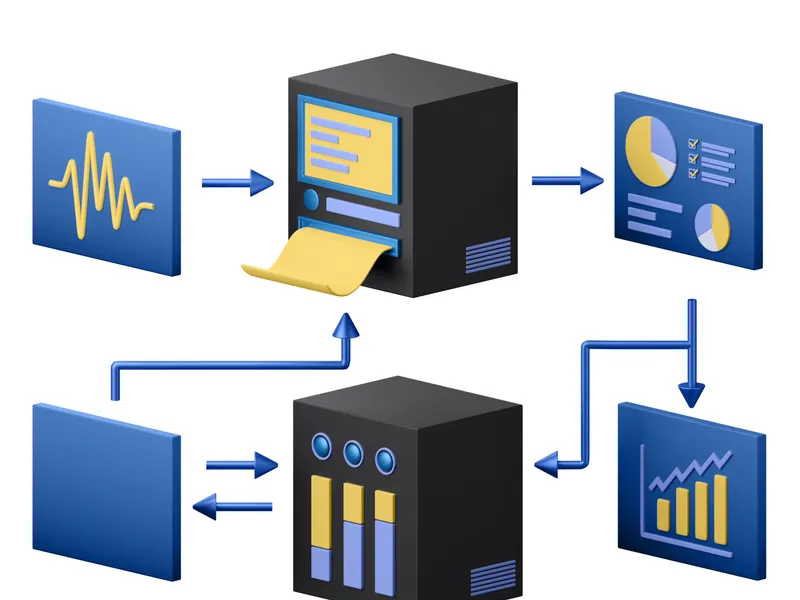
Most analytics setups are page-centric — they track pageviews first and bolt on events as an afterthought. Event-driven analytics architecture flips that model: events are the foundation, and pageviews are just one event type among many.
If you’ve ever struggled with tracking complex user journeys, multi-step forms, or single-page applications, event-driven architecture is probably what you need. I’ve been migrating projects to this approach over the past year, and the difference in data quality is significant.
What Is Event-Driven Analytics?
In event-driven analytics, every meaningful user interaction is captured as a discrete event with structured properties. Instead of relying on page URLs to understand behavior, you define explicit events for every action that matters.
Here’s the conceptual difference:
| Aspect | Page-Centric (Traditional) | Event-Driven |
|---|---|---|
| Primary data unit | Pageview | Event |
| User journey tracking | URL sequence | Event sequence |
| Single-page apps | Requires virtual pageviews | Natural fit |
| Micro-interactions | Often missed | Explicitly tracked |
| Data schema | Implicit (URL-based) | Explicit (defined properties) |
| Flexibility | Limited by page structure | Adapts to any interaction model |
Why Marketers Should Care
This isn’t just a technical distinction. Event-driven architecture directly impacts the quality of marketing insights you can generate:
- Better funnel analysis. When every step is an event, you can build funnels that reflect actual user behavior — not just page navigation. Form field interactions, scroll depth, video views, chatbot conversations — all become funnel steps.
- Accurate attribution. Events carry context (source, medium, campaign) that persists across the journey. Your attribution models work with richer data.
- Flexible reporting. Need to know how many users watched 75% of a demo video AND then visited pricing? With event-driven data, that’s a simple query. With page-centric data, it’s often impossible.
The shift from page-centric to event-driven analytics is like the shift from tracking what rooms someone walked through to tracking what they actually did in each room. The granularity difference changes what questions you can answer.
Designing Your Event Schema
The most important step in event-driven analytics is defining your event schema — the structure and naming convention for all events. Get this wrong and you’ll end up with messy, inconsistent data that’s harder to work with than what you had before.
The Event Naming Convention
I use a three-part naming convention: object_action_context
- Object: What the user interacted with (page, form, button, video, chatbot)
- Action: What they did (viewed, clicked, submitted, started, completed)
- Context: Where or how (optional, adds specificity)
Examples:
| Event Name | Object | Action | Context |
|---|---|---|---|
page_viewed |
page | viewed | — |
form_submitted_contact |
form | submitted | contact |
button_clicked_cta |
button | clicked | cta |
video_completed_demo |
video | completed | demo |
checkout_started |
checkout | started | — |
article_scrolled_50 |
article | scrolled | 50% depth |
Consistency matters more than the specific format. Pick a convention and enforce it across your entire team. For detailed implementation patterns, see my guide to custom event tracking.
Event Properties
Each event should carry structured properties that provide context. Here’s a practical example for a form_submitted event:
{
  "event": "form_submitted",
  "properties": {
    "form_name": "contact_request",
    "form_location": "pricing_page",
    "fields_completed": 5,
    "time_to_complete_seconds": 45,
    "source": "organic",
    "device_type": "mobile"
  }
}
The properties you include depend on the questions you want to answer. A good rule: if you might want to segment or filter by it, include it as a property.
The Event Taxonomy for Marketing
Here’s the event taxonomy I use as a starting point for marketing-focused websites. It covers the most common user interactions without being overwhelming:
Core Events (Track on Every Site)
page_viewed— With URL, title, referrer, content typesession_started— With source, medium, campaign, devicelink_clicked— External link clicks with destination URLscroll_depth_reached— At 25%, 50%, 75%, 100% thresholdssearch_performed— Internal site search with query term
Conversion Events (Business-Specific)
form_submitted— With form name and location. See form tracking guidecheckout_started/checkout_completed— With cart valuesignup_completed— With signup methoddownload_started— With file name and type
Engagement Events (Content-Specific)
video_played/video_completed— With video ID and completion percentagecta_clicked— With CTA text and placementshare_clicked— With platform (Twitter, LinkedIn, email)comment_submitted— With article ID
Implementation Strategy
Don’t try to implement everything at once. Here’s the phased approach that works:
Phase 1: Foundation (Week 1-2)
Implement core events. Verify data flows correctly. Set up your dashboard to display event data alongside pageview data.
Phase 2: Conversions (Week 3-4)
Add conversion events. Connect them to your conversion tracking and funnel reports. Verify end-to-end: from first page view to conversion, does the event chain tell the complete story?
Phase 3: Engagement (Month 2)
Layer in engagement events. Start building micro-conversion metrics that predict downstream behavior.
Phase 4: Optimization (Ongoing)
Use event data to identify optimization opportunities. Where do event sequences break? Where are users engaging deeply but not converting? This is where event-driven data dramatically outperforms page-centric analytics.
Common Pitfalls
- Over-tracking. Not every click needs an event. Track interactions that inform decisions, not everything that’s technically trackable. As a guide, most sites need 15-25 distinct event types — not 200.
- Inconsistent naming. One person tracks
formSubmit, another tracksform_submitted, and a third trackssubmit_form. Document your convention and enforce it during code review. - Missing properties. An event without context is barely better than a pageview. Always include enough properties to answer “who, what, where, and how” for each event.
- No validation layer. Implement event validation that catches malformed or unexpected events before they reach your analytics. Run regular audits on your event data quality.
The Shift Worth Making
Moving from page-centric to event-driven analytics requires upfront investment in schema design and implementation. But the payoff is substantial: richer data, better funnels, more accurate attribution, and the flexibility to answer questions you haven’t thought of yet.
Start with the core event taxonomy above, implement it in phases, and expand based on the questions your team actually needs to answer. The modern analytics tools are increasingly designed around event-driven models — you’re not swimming against the current, you’re catching up to where analytics is heading.